CyanCamera App.
A broadcast camera in your pocket.
Your phone becomes a numbered camera on your CyanView gateway, shaded live from the same CyanView RCP your team already uses on every other camera in the show.
iOS & Android · Private beta - we'll email you when your spot opens up.
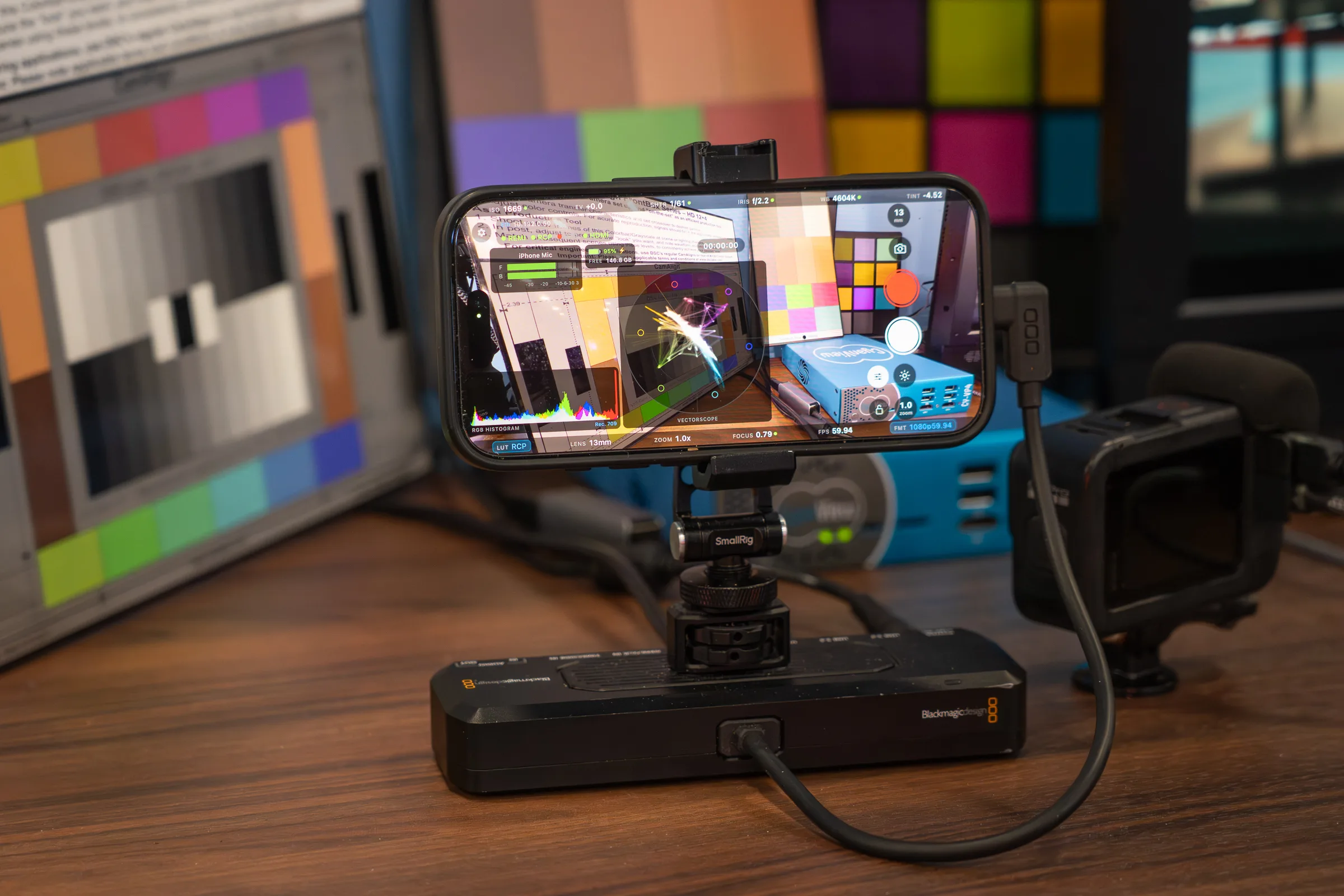
CyanCamera is driven by a CyanView RCP - the panel your shader already uses.
The App
A broadcast camera. Not a companion app.
Once it appears on the gateway, your shader operates CyanCamera from the panel exactly as they operate any of the 210+ camera models CyanView already controls. Same panel, same workflow, same look.
Capabilities
Desktop power. Mobile freedom.
Pro Camera Capture
- › HEVC 8/10-bit or ProRes 422 on ProRes-capable iPhones
- › Rec.709, P3, Rec.2020 HLG, Apple Log & Log 2
- › 23.98-60fps at 1080p/4K, up to 240fps slow motion
- › 40-240 Mbps, straight to SSD or Files
CyanView RCP Control
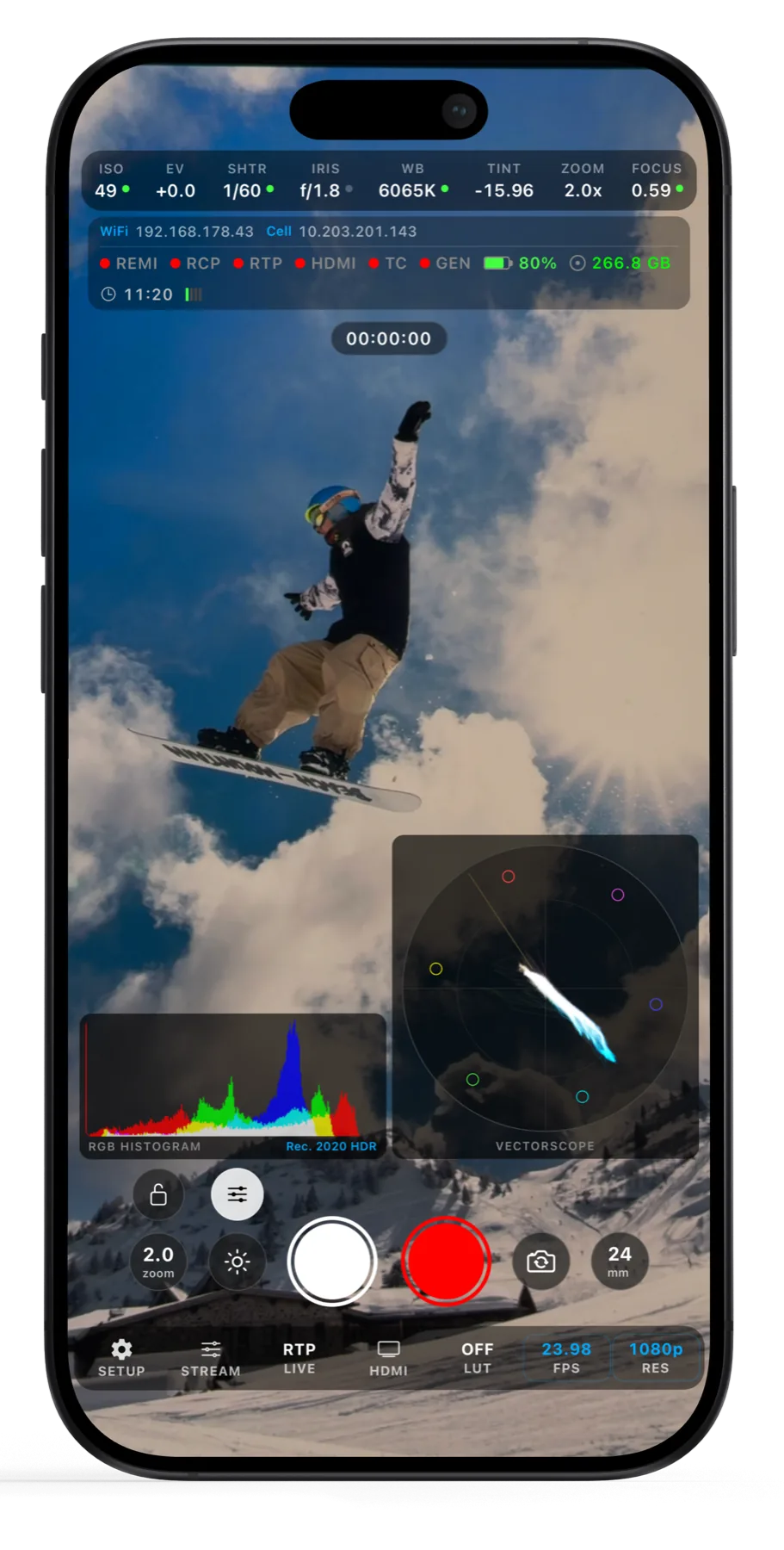
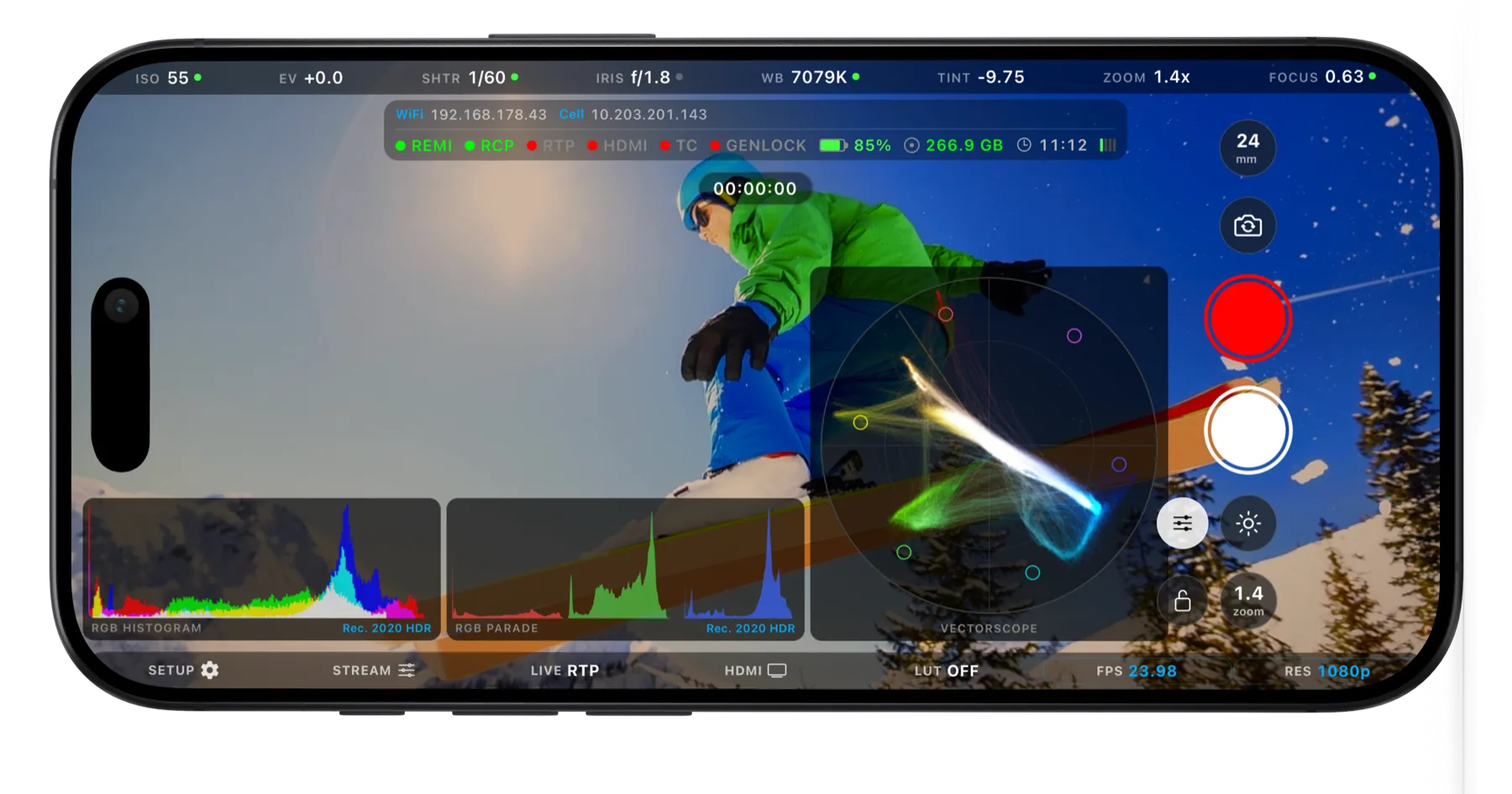
- › ISO, shutter, iris, exposure, white balance, focus & zoom - all from the RCP
- › Switch 13/24/77mm lenses, toggle look, start/stop record
- › Red, green & call tally light a border around the picture
- › REMI Cloud shades remote contributors over the internet
On-Device Color Shading
- › Lift, gamma, gain per channel + master saturation/hue
- › 16-vector multimatrix with gate & select
- › Bakes into a 3D LUT, scoped per monitor/record/stream
- › Lockable so operators can't switch it off
16-vector multimatrix - real-time on-device processing
Streaming Protocols
Local network, video only
Public internet, encrypted
RTP & SRT Streaming
- › RTP to FXVP for glass-to-glass local monitoring
- › SRT for encrypted delivery over the public internet
- › H.264/H.265, 4-35 Mbps, changeable live
- › 1080p240 to FXVP for slow motion & instant replay
HDMI Output Stream
- › Preview, Output or Broadcast (iOS 27) modes
- › Rec.709, HLG or Apple Log 2, up to 10-bit
- › Anamorphic de-squeeze on the monitor only
- › Mic audio monitored through the adapter
Waveform & Vectorscope
- › RGB parade & RGB histogram for exposure and balance
- › Vectorscope for hue and saturation
- › 30 Hz audio meter
- › Runs entirely on the GPU, no external hardware
RGB Parade
Vectorscope
CyanView Studio
CyanCamera
Desktop Processing Pipeline
Studio LUT Import
- › Import .cube LUTs from CyanView Studio or any grading suite
- › Built-in Apple Log / Log 2 to Rec.709 conversions
- › Studio can push a LUT live & grab frames for grading
- › Chains underneath the live on-device grade
Genlock & Timecode
- › BNC genlock + LTC timecode via Blackmagic ProDock
- › Frame-accurate house sync, with an offset trim
- › On-screen badge shows sync status
- › No genlock? A PoE dongle adds wired networking
iPhone 17 Pro+ for genlock · any ProDock model for timecode
Use Cases
Where it fits.
Impossible angles
Extra angles a full-size camera cannot reach.
Remote contributors
Contributors working on location, shaded from the truck.
Second unit & BTS
Behind-the-scenes coverage that still cuts cleanly against the main cameras.
Low-cost expansion
Grow a multi-camera setup without adding another rack.
Availability
One app. Every platform.
Remote control and live shading require a CyanView RCP and gateway; genlock and external timecode need a Blackmagic Camera ProDock. Capture, on-device grading, scopes, streaming and HDMI output run standalone. Apple Log 2 needs iOS 26; broadcast HDMI output and iris control need iOS 27 on compatible hardware; ProRes 422 needs iPhone 13 Pro or later and a 10-bit color space.
Developers
Build with CyanView
CyanCamera isn't the only app speaking our protocol. We already work with third-party camera apps like Mavis to make them controllable from the CyanView RCP. Building a camera or video app? A single integration makes your app broadcast-ready and controllable from any CyanView RCP.
Sign Up to DevelopComing Soon
Professional control,
wherever you are.
A broadcast camera, not a companion app. Same panel, same workflow, same look - on every camera in the show.