CyanCamera App.
A broadcast camera in your pocket.
Your phone becomes a numbered camera on your CyanView gateway, shaded live from the same CyanView RCP your team already uses on every other camera in the show.
iOS & Android · Private beta - we'll email you when your spot opens up.
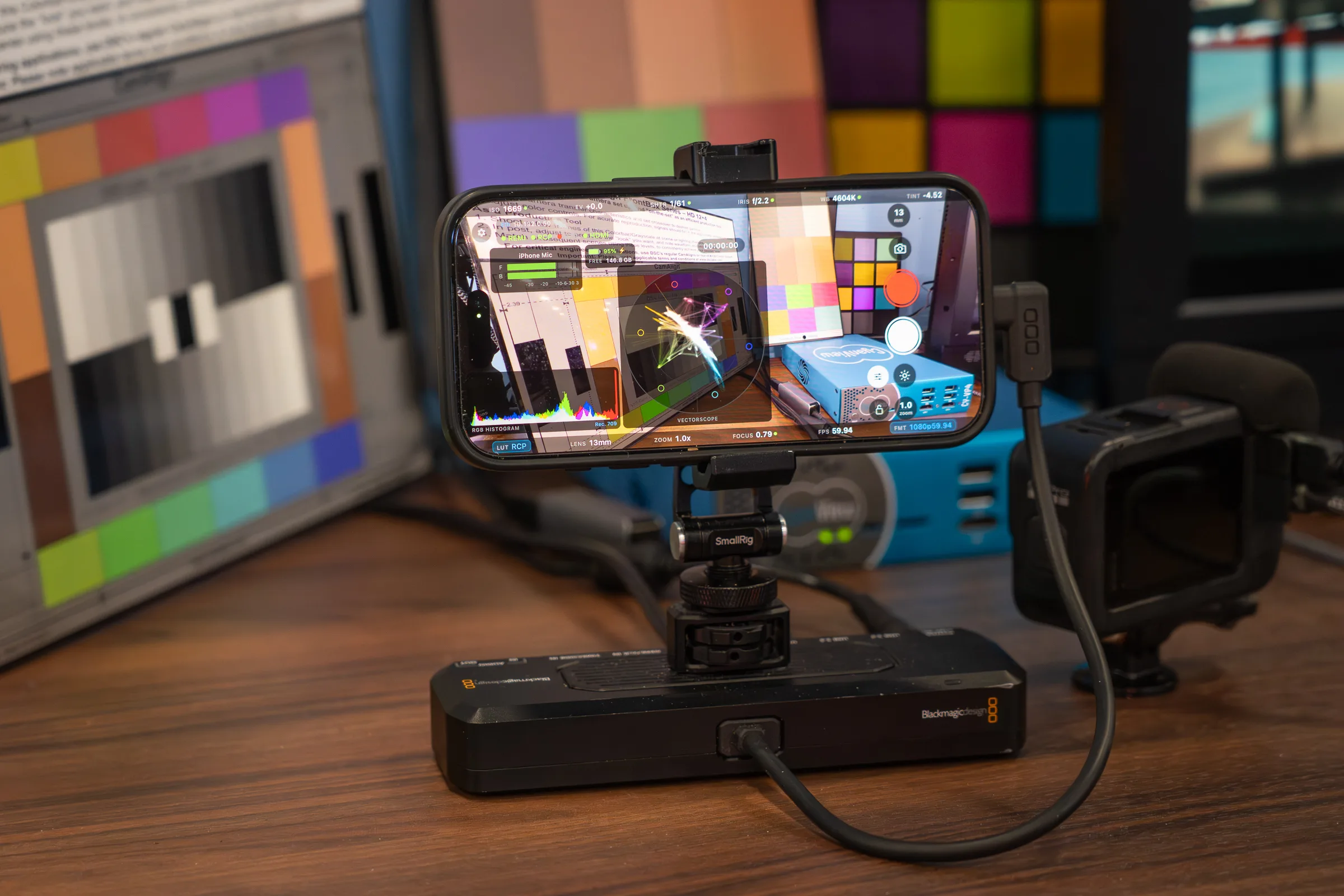
CyanCamera is driven by a CyanView RCP - the panel your shader already uses.
The App
A broadcast camera. Not a companion app.
Once it appears on the gateway, your shader operates CyanCamera from the panel exactly as they operate any of the 210+ camera models CyanView already controls. Same panel, same workflow, same look.
Capabilities
Desktop power. Mobile freedom.
Pro Camera Capture
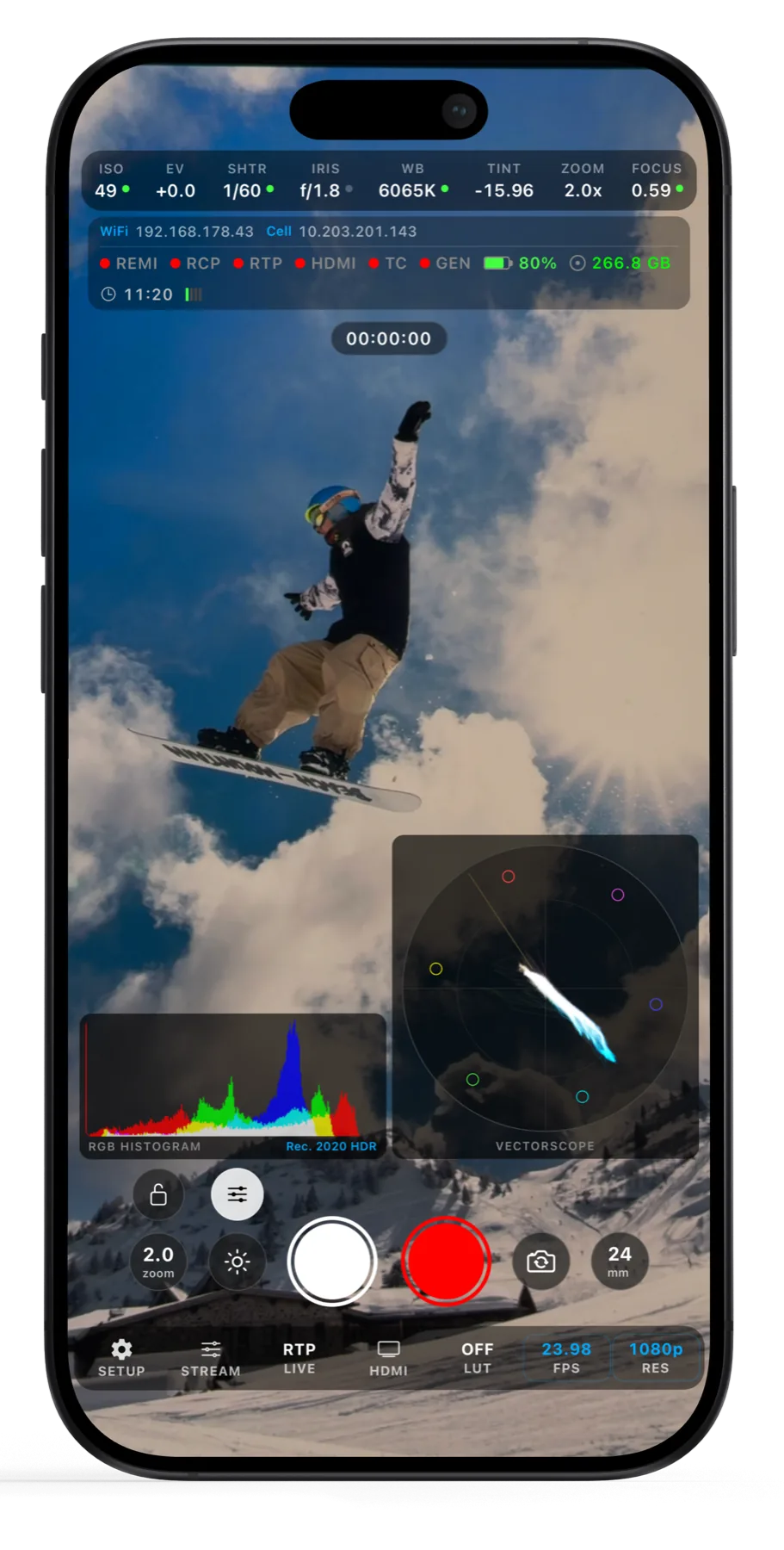
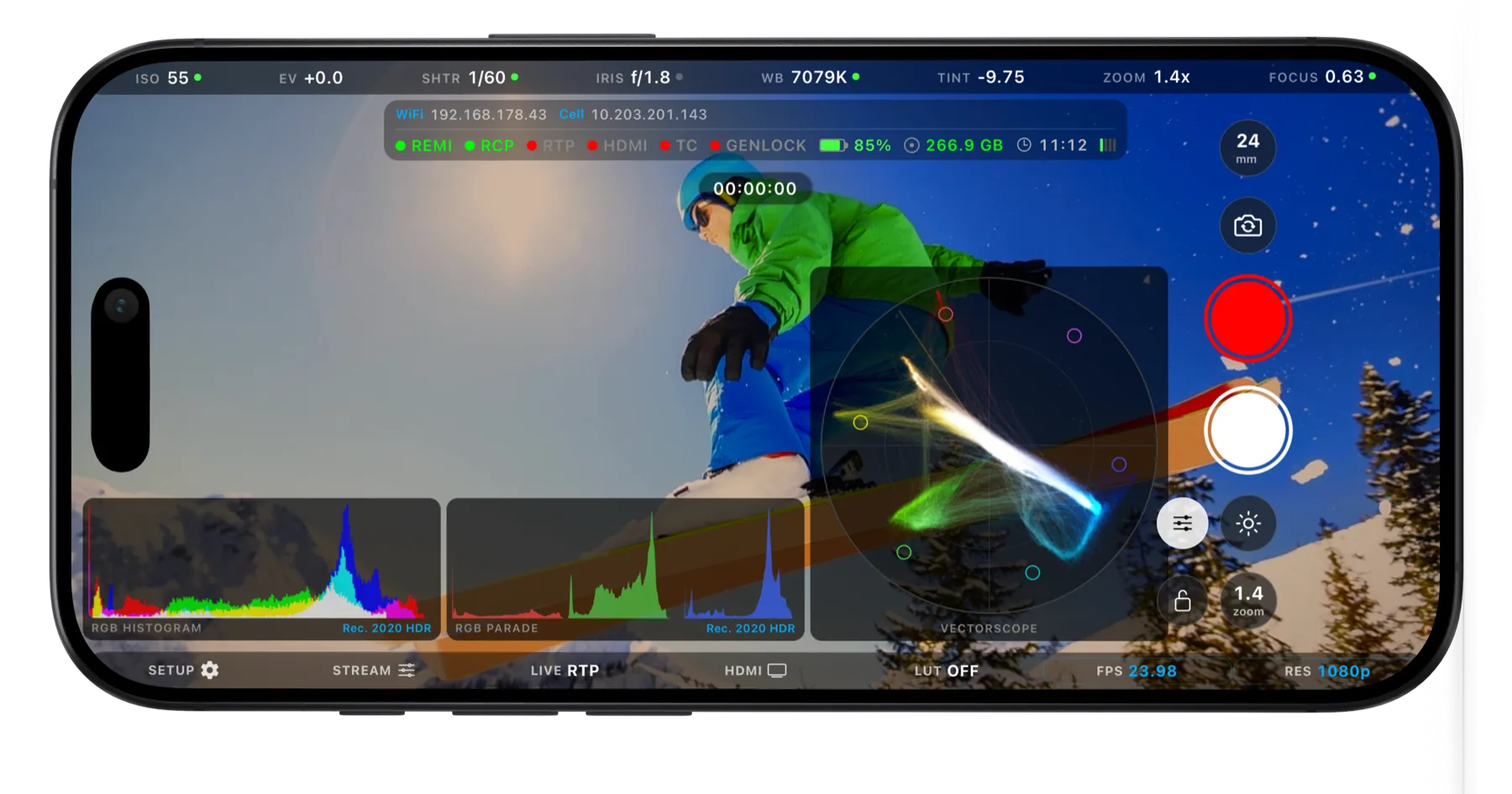
Record up to 4K60 in ProRes, ProRes RAW, H.264 or H.265 - in Rec.709, P3, Rec.2020 HLG, Apple Log or Apple Log 2 on supported devices. Log capture holds the highlight and shadow detail you need when the grade happens downstream, and genlock locks the camera to house sync so the feed cuts frame-accurately against every other source in the show.
CyanView RCP Control
CyanCamera shows up as a numbered camera on your CyanView gateway. ISO, shutter, exposure, white balance, focus and zoom all respond to the RCP over the REMI protocol, and your shader switches between ultra-wide, wide and telephoto lenses from the panel without touching the phone. Camera numbering means the operator always knows which angle they are on - exactly like any of the 210+ camera models CyanView already controls.
On-Device Color Shading
A GPU color engine runs entirely on the device. Lift, gamma and gain, master saturation and hue, and a full 16-vector multimatrix respond in real time as the shader moves the panel. Everything bakes into a 3D LUT, so what you see is what the feed carries.
Real-time on-device processing
Streaming Protocols
Real-Time Protocol
Secure Reliable Transport
Web Real-Time Comm
Direct Output
RTP / SRT / WebRTC Streaming
Send the feed over RTP for low-latency monitoring on the local network, SRT for reliable delivery across the internet, or WebRTC for playback in a browser. Bit rates run from 4 to 35 Mbps, with SRT encryption when the path is public.
HDMI Output Stream
Route the feed to an external monitor, capture device or switcher through a USB-C adapter, with full camera control still running on the same device. Perfect for on-set confidence monitoring, client review, or feeding a production switcher.
Waveform & Vectorscope
Broadcast scopes built in and running on the GPU. The waveform reads exposure and balance across the frame, while the vectorscope maps hue and saturation for confident skin tones and white balance - no external hardware required.
Waveform
Vectorscope
CyanView Studio
CyanCamera
Desktop Processing Pipeline
Studio LUT Import
Build a look in CyanView Studio or any grading suite, export it as a .cube LUT, and load it straight into CyanCamera. The imported LUT becomes your base - a log conversion or finished show look - chained underneath the live on-device grade for a complete pipeline.
Use Cases
Where it fits.
Impossible angles
Extra angles a full-size camera cannot reach.
Remote contributors
Contributors working on location, shaded from the truck.
Second unit & BTS
Behind-the-scenes coverage that still cuts cleanly against the main cameras.
Low-cost expansion
Grow a multi-camera setup without adding another rack.
Availability
One app. Every platform.
Remote control and live shading require a CyanView RCP and gateway. Capture, on-device grading, scopes, streaming and HDMI output run standalone.
Developers
Build with CyanView
CyanCamera isn't the only app speaking our protocol. We already work with third-party camera apps like Mavis to make them controllable from the CyanView RCP. Building a camera or video app? A single integration makes your app broadcast-ready and controllable from any CyanView RCP.
Sign Up to DevelopComing Soon
Professional control,
wherever you are.
A broadcast camera, not a companion app. Same panel, same workflow, same look - on every camera in the show.